
Introduction
What Causes a Clicking Hard Drive? (HDD Media Damage Explained)
Common Causes and Symptoms of Hard Drive Media Damage
Media damage and clicking hard drive failures can occur due to several factors, including:
- G-force trauma (dropping or bumping the drive during operation or at rest)
- Excessive vibration
- Environmental events (such as excessive heat, cold, moisture or earthquakes)
- Internal component failure
- Other mechanical, electrical or environmental factors
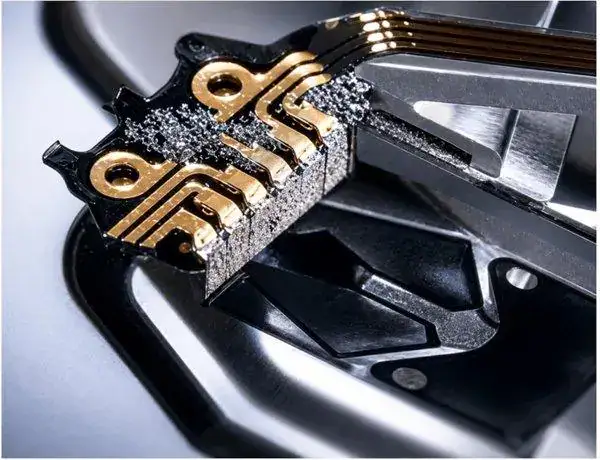
Any abnormal noise, such as clicking, screeching, or beeping coming from a hard drive – especially a hard drive that is no longer accessible – should be treated as a serious warning sign. Those noises may indicate failure of the read/write subsystem, including the heads or preamplifier, and may suggest the presence of media damage. In some cases, immediately after the hard drive is powered on, it may click two or three times, then spin down and become silent.
Professional Cleanroom Evaluation & Prognosis
When a hard drive becomes inaccessible and begins making unusual noises such as clicking or grinding, Data Rescue MDs performs a complimentary evaluation in an ISO-compliant cleanroom. In this controlled environment, engineers use high-powered magnification to inspect the media surfaces and read/write head assembly, ensuring the safest and most effective data recovery approach.
If hard drive media damage is present, recovery success rates decrease significantly. In some cases, partial data recovery may still be possible, but results can be incomplete or degraded. In more severe cases, the data may be permanently unrecoverable.
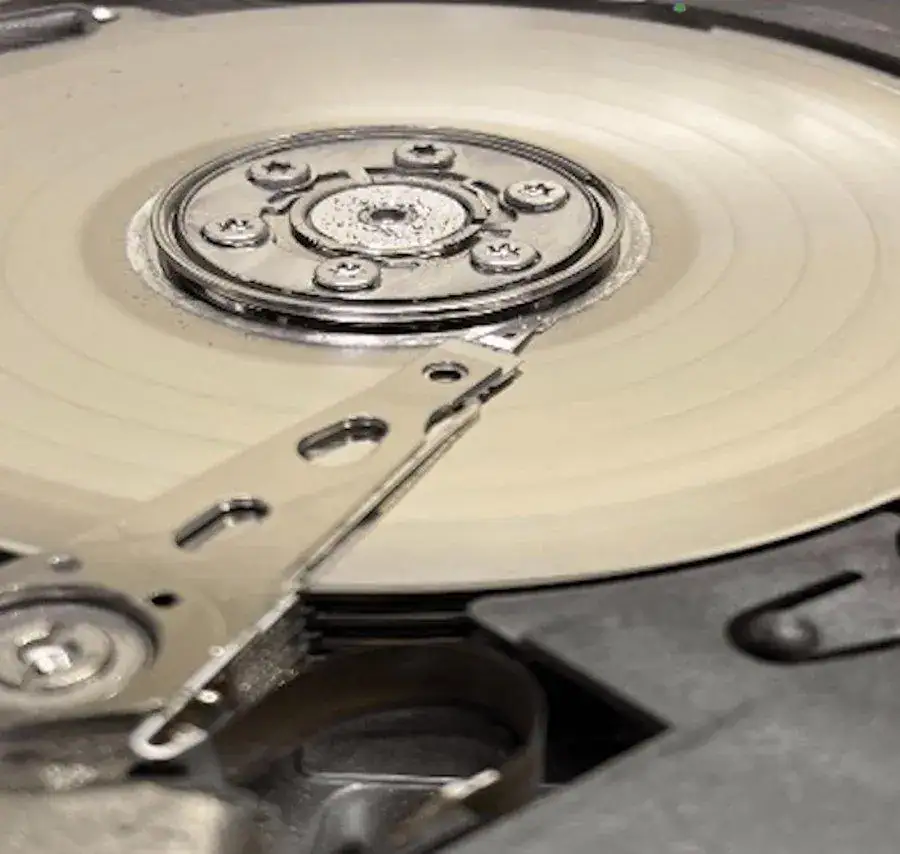
Key indicators of severe media damage include particle buildup on the read/write heads or disk surface and visible circular scratching patterns known as radial scoring. The presence of radial scoring typically indicates a head crash and is often a sign that the data is unrecoverable.
In contrast, a healthy hard drive platter appears smooth and mirror-like, free of scratches, scoring, or debris.
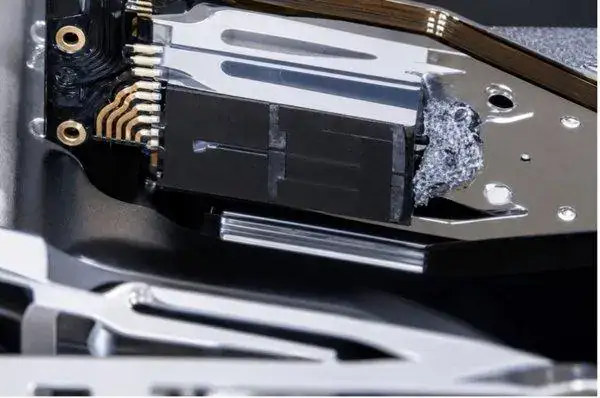
What To Do If Your Hard Drive Is Making a Clicking Noise
Do not restart the drive repeatedly, run recovery software, open the hard drive, or attempt to inspect internal components. Opening the media compartment outside of an ISO-compliant environment will contaminate the media compartment and media surfaces and may make a recoverable hard disk drive unrecoverable.
Power off the device immediately. Disconnect it and avoid further attempts to access data. Have the drive evaluated by Data Rescue MDs as early as possible to significantly improve recovery success.
How Data Recovery Works for a Clicking Hard Drive
Data recovery begins with a detailed diagnostic evaluation. If internal components are damaged, the drive is opened in an ISO-certified cleanroom environment where engineers repair or replace failed components. Once stabilized, specialized tools are used to extract data.
Solid-State Drives (SSDs) and Media Damage
SSDs do not contain moving parts and do not produce clicking or mechanical noises. They can still fail due to controller, firmware, or NAND flash issues. SSD recovery is covered in more detail in a separate article.
RAID Arrays and Mechanical Hard Drive Failure
RAID arrays can also experience mechanical failure when one or more drives develop clicking, beeping, or internal damage. Cleanroom data recovery services may be required before RAID reconstruction can begin. RAID-related failures and recovery processes are discussed in more detail in our RAID data recovery blog.
How to Prevent Data Loss
Keeping at least one additional copy of your critical data reduces the potential catastrophe of data loss related to media damage. A better alternative is three copies: the original data, a second copy on an alternative data storage device, and a third copy in a geographically diverse and secure location, such as a safe deposit box or secure cloud storage.
This three-copy policy is known as a 3-2-1 data resilience strategy and may protect your data from common causes of data loss such as hardware failure or damage, natural disasters, theft, and malware. Because computer viruses and malware can affect data integrity within individual and RAID storage devices connected to a single computer or shared storage network, a 3-2-1-1-0 data resilience strategy is now recommended to protect critical data. The 3-2-1-1-0 data resilience strategy is covered in an alternative blog post.
Concerned About a Clicking Hard Drive? If your hard drive is making clicking, screeching, or beeping sounds, power it off immediately. Data Rescue MDs offers a free evaluation and follows a No Data, No Recovery Fee policy.
What does a clicking hard drive mean?
A clicking hard drive usually indicates a mechanical failure involving internal components such as the read/write heads. This prevents the drive from accessing data properly.
Can data be recovered from a clicking hard drive?
Yes, data can often be recovered from a clicking hard drive depending on the extent of the damage. Powering off the drive quickly improves the chances of recovery.
Can I fix a clicking hard drive myself?
No, a clicking hard drive cannot be safely repaired at home. Attempting DIY fixes can cause further damage and reduce the chances of recovery.
Is it safe to use a clicking hard drive?
No, continuing to use a clicking hard drive can worsen internal damage and reduce the likelihood of successful data recovery.
How much does it cost to recover data from a clicking hard drive?
The cost to recover data from a clicking hard drive depends on the type and severity of the internal damage. At Data Rescue MDs, we begin with a free evaluation to determine the exact issue. Because clicking hard drives typically involves mechanical failure, recovery often requires cleanroom work and specialized parts. Once the diagnostic process is complete, a clear quote is provided.
Data Rescue MDs also follows a No Data, No Recovery Fee policy, meaning you only pay if your data is successfully recovered.